I Want to Participate in the Claim
Who Is This Webpage For?
- This information is for individuals or businesses who did not opt out of the proceeding and wish to defend themselves before the CCB.
- It is time to respond if you have received
- an order for claimant to pay second filing fee and for all parties to register for eCCB, and
- a scheduling order
If a claim was filed against you before the CCB and you did not opt out, you'll need to file a response to the claim. This is your first opportunity to give the CCB your side of the story.
Timeline
- Opt-out period ends
- Link yourself to the claim
- Review scheduling order
- Consider your defenses
- Gather your evidence
- Respond to the claim
- Attend pre-discovery conference

Steps
Steps one through six
-
Sign Up for eCCB and Link Yourself to the Claim
Register for eCCB. Participants or their representatives must register for access to eCCB The CCB’s electronic filing and case management system. to file and receive electronic notice of filed documents related to the claim.
- You will select your user role based on the way you are participating in the proceeding before the CCB (for example, as a self-represented individual, an attorney, or an authorized representative of a business).
- If there are multiple respondents, each respondent will need to register for eCCB.
- Any time the CCB issues an update or order A formal directive issued by the CCB requiring or authorizing specific actions by one or more parties involved in a the proceeding. , or a party makes a filing in your proceeding, the eCCB system will email you confirmation with a link to the update, order, or document.
Link to the Claim. You will then need to link your eCCB account to your case to file any documents in the proceeding.
After you have logged in to your eCCB account, you can search for your proceeding using the case search feature and access it by clicking the docket number hyperlink on the left. Then, you will need to click the “Link yourself to case” button, select the proper party from the “Party name” drop-down menu, and confirm your details on the Review filing webpage.
The CCB will review your request to link to the case before you can participate to make sure that you are an attorney, party, or party representative in that case. Please note that the CCB reviews linking requests during business hours.
For more information about eCCB registration, user roles, and linking to the claim, you can review the eCCB (PDF) chapter of the CCB Handbook.
Do you want an attorney? You do not need an attorney to respond or participate in a claim with the CCB. CCB proceedings are designed to be understood and accessible by parties who have no legal training. However, both parties are allowed to be represented by or consult with an attorney. You may also wish to engage a pro bonoLegal services without a charge for the attorney’s or law student’s time or work. organization or law student at an approved legal clinic as an alternative.
For more information about representation, you can review the Representation (PDF) chapter of the CCB Handbook
-
Review the Scheduling Order and the Claim
Review the Scheduling Order. Once the claimantThe person or entity who brings a claim before the CCB. has paid the second filing fee, the CCB will post a scheduling order to eCCB. The CCB will also mail you the order if you have not linked to eCCB yet, along with a reminder to register for eCCB.
The scheduling order provides a roadmap for the proceeding and includes key dates and deadlines for each stage of the active phaseWhen the respondent has not opted out, the portion of the proceeding starting from the end of the sixty-day opt-out period and continuing until the CCB’s final determination of your case. The first deadline in the schedule is for you to file your response to the claim.
If you have a legitimate scheduling conflict or need more time to meet a deadline, you need to notify the Board by following the instructions in the scheduling order. The CCB may be more likely to grant a request for a scheduling change when all parties agree to it. It is a good idea to check with the other parties in your proceeding to see if they agree.
For more information about the scheduling order, requesting a schedule change, and other important dates in the active phase, review the Active Phase (PDF) chapter of the CCB Handbook.
Review the Claim. In your response, you’ll have the opportunity to dispute facts and allegations that the claimant made in their claim.
- Would you describe the facts or events differently than the claimant?
- Does the claim include evidence that you believe is misleading?
- Do you have any evidence that was not included?
Consider Your Defenses. In addition to disputing the claimant’s facts, a defense provides a legitimate reason why you were allowed under the law to take the actions that you took or may be a reason that prevents the claimant from succeeding in proving their claim. The CCB Handbook includes common defenses for each type of claim.
Infringement Claims
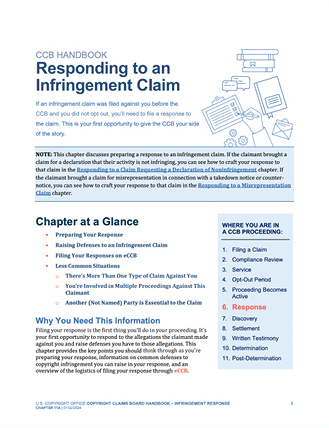
For more information about copyright infringement claims and potential defenses, you should review the Infringement Response (PDF) chapter of the CCB Handbook.
Noninfringement Claims
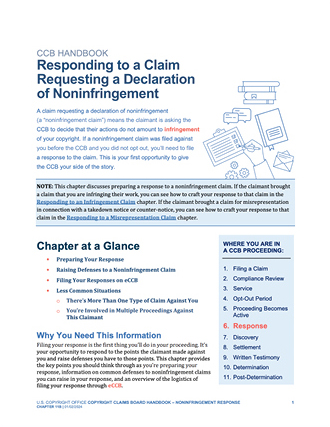
For more information about noninfringement claims and potential defenses, you should review the Noninfringement Response (PDF) chapter of the CCB Handbook.
Misrepresentation Claims
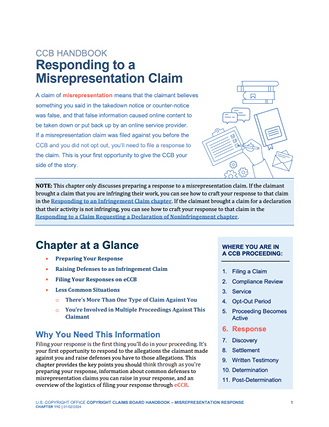
For more information about misrepresentation claims and potential defenses, you should review the Misrepresentation Response (PDF) chapter of the CCB Handbook.
Gather Evidence
Do you have evidence that was not included in the claim? As a party in a CCB proceeding, you must make a reasonable search for evidence related to the claim. You may want to start gathering documents (both digital and paper) and attach the most critical ones to your response.
If the works at issue are online, make copies of them for the purpose of keeping them as evidence before they are taken down. You must also preserve other evidence such as relevant communications and agreements. Even if you do not submit these materials with your response, if you want to use them as evidence to prove your case, you will need to produce them to the other side and to the Board.
Respond
You’ll need to file your response through eCCB by the deadline in the scheduling order, which will usually be thirty days from the date the scheduling order was issued. As described above, you’ll have the opportunity to dispute various facts that the claimant made or add facts that the claimant may not have included. You can also raise defenses to the claim.
Do you have a counterclaim against the claimant?
As a respondent, you have the opportunity to bring your own claims, called counterclaimsA claim brought by a respondent in a proceeding., against the claimant when you file your response through eCCB. However, counterclaims that the CCB can hear are limited.
- Counterclaims must involve the same facts and circumstances as the claim.
- Typically, only counterclaims for copyright infringement, noninfringement, and misrepresentation may be brought in CCB proceedings.
- A counterclaim must be on the same track as the claim and can only be asserted against a claimant. It must be within the limits on financial awards for CCB proceedings ($30,000 if the claimant chose a standard proceeding when it filed its claim, and $5,000 for smaller claims proceedings).
For more information about counterclaims, you can review the Counterclaims (PDF) chapter of the CCB Handbook.
- Log in to your eCCB account.
- On your dashboard, click the “Respond to claim” button and select the proceeding from the drop-down menu.
- Select “yes” or “no” to indicate whether you will be filing any counterclaims and then proceed to completing the response screens.
- Once you have provided the requested information, you will reach the Review webpage. This webpage includes all information you have provided in the response up to this point. Carefully double-check the information on this webpage. If you have any corrections, you can select “Edit” on any section to revise your entry. After you make changes, click “Save & review” to return to the Review webpage. Please review your response carefully. There are only limited opportunities to request an amendment.
- Once you have completed your review and any revisions, you must confirm that the information is accurate and truthful to the best of your knowledge. To complete the declaration, type your full name into the “Digital signature” box near the bottom of the Review filing webpage and click “Agree & submit.”
There are 6 steps.
What's Next
A Copyright Claims Officer will hold a virtual pre-discovery conference to discuss the claim with the parties, how the steps of the proceeding will work, and whether the parties are interested in participating in a settlement conference to attempt to voluntarily resolve their claims. The pre-discovery conference will be held virtually by Zoom, and the Board will issue the link to the parties by email ahead of the conference. The CCB will email you more information about preparing for the conference.
Contact Us
If you have questions, please contact the Copyright Claims Board at [email protected]. Please include the docket number of your case (if you have one) in the subject line. We can only provide information and assistance concerning Board procedures and requirements. For questions about copyright registration, recordation, or other matters, reach us through the appropriate Copyright Office contact form.

More Information